
Boost Visual Voicemail
DISH Wireless L.L.C.Communication
4.713.64K Reviews
- Version
- T.11.3.0.2
- Installs
- 10.00M
- Age Rating
- Everyone
Screenshots
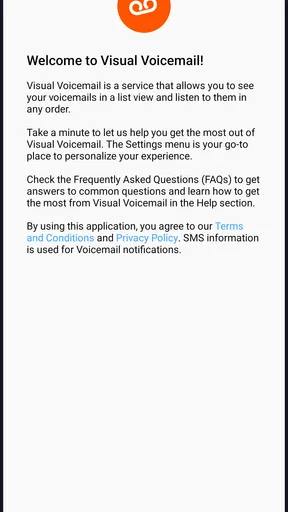
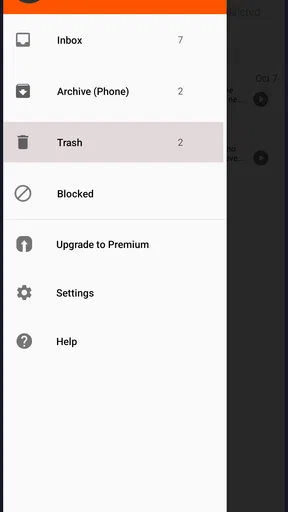

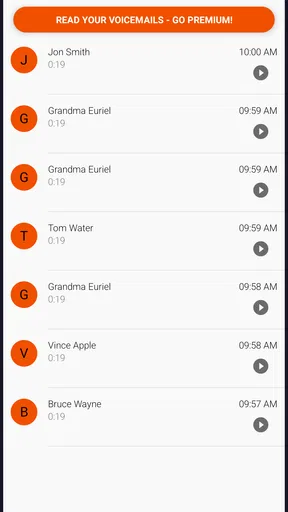
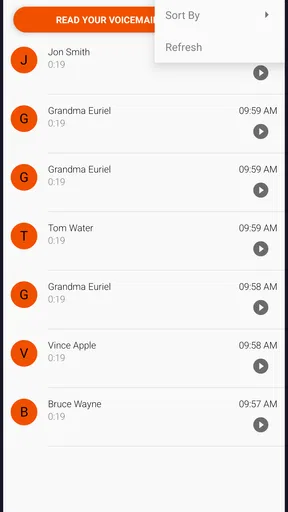


Our Review of Boost Visual Voicemail
 Analysis by Appyee
Voicemail is easy to ignore until an important message arrives while I am busy, driving, or somewhere a normal phone call is inconvenient. Boost Visual Voicemail takes that overlooked part of the phone experience and puts it in a more manageable app. Instead of treating every voicemail as something I must dial into and listen to in sequence, it delivers voicemail directly to the device so I can review messages when it suits me.
That sounds like a small improvement, and it is. The interesting question is whether a small improvement becomes useful enough to keep around after the first few days. In my experience, this app is at its best when I receive occasional calls from people or businesses I do not want to miss, but do not want to answer immediately. It is less compelling for someone who rarely receives voicemail or already prefers handling every message through another system.
Boost Visual Voicemail is a free communication app from DISH Wireless L.L.C. It is available for users aged Everyone, supports Android 8.0 and later, and has reached more than ten million installs. Its average rating is 4.7 from roughly ninety-seven thousand ratings, which suggests that many Boost users find it dependable enough to remain part of their normal phone routine.
From convenient first impression to everyday habit
I start with the small but useful shift from treating voicemail as a phone menu to treating it as something I can review when I have a moment. This section looks at how that change can fit into a normal routine, then considers whether the same convenience holds up across different ways of reading, listening, and using a phone.
Why the first week feels easier
The immediate appeal is straightforward: I can see that voicemail has arrived without going through the old process of calling a mailbox, waiting through prompts, and listening to messages in order. That change matters most when I am trying to decide whether a message deserves attention right now. A visible voicemail inbox turns an interruption into something I can inspect on my own schedule.
For a new user, the most useful habit is to treat the app as a screening layer rather than as another messaging service. I check the voicemail list when I have a free moment, identify the messages that need a callback, and leave low-priority ones for later. That is more practical than answering every unknown call simply because I cannot tell whether the caller left something important.
A realistic example is a delivery driver, clinic, school office, or repair technician calling while my phone is on silent. I may not be able to answer, but I can return to the app after the meeting or appointment and work through the message without repeatedly dialing voicemail. The benefit is not dramatic, yet it removes a recurring bit of friction from a situation that happens often enough to matter.
The app also fits people who use their phone number as a public contact point but do not want to be available every minute. Freelancers, parents, older relatives, and anyone waiting for a service call can let incoming calls go unanswered without losing the message entirely. The visual inbox makes the phone feel less demanding because I decide when to process the backlog.
What it changes compared with ordinary voicemail
Traditional carrier voicemail is familiar, but its voice-menu structure can make simple tasks feel slow. I have to remember which key advances, deletes, saves, or repeats a message, and I may lose track of what I already heard. A visual interface is easier to scan because the messages are presented as items rather than as one continuous audio queue.
It is also different from text messaging. A voicemail remains a voice message, so the caller can explain something naturally without needing to type it. That makes the app useful when a caller needs to give context, directions, or a longer explanation. At the same time, I would not mistake it for a full chat replacement: it does not turn a phone call into an ongoing written conversation.
Compared with a third-party voicemail service, the main attraction here is simplicity for a Boost user. I do not need to introduce another communication platform to the people calling me. The number remains the familiar phone number, while the app provides a more convenient way to handle the resulting messages. If I already use a separate service for transcription, shared inboxes, or advanced call management, that other option may still be more suitable.
Small workflows that make it more useful
One practical workflow is to review messages in batches instead of reacting to each voicemail notification. I can listen when I have privacy, note which callers require action, and then return calls together. This is particularly helpful when I am working and do not want every missed call to break concentration.
Another useful approach is to use the inbox as a temporary task list. A message from a contractor may require checking a calendar; a message from a family member may need a reply later; a message from a business may only require listening once. I can decide what deserves follow-up without repeatedly replaying everything. The app does not replace my own reminders, but it gives me a clearer starting point for making them.
I also find visual voicemail valuable when the caller is unknown. A missed call alone gives me almost no context. A voicemail lets me judge whether it is a genuine request, a wrong number, or something I can ignore. That can reduce the temptation to call back every unfamiliar number, while still preserving the chance to respond to a legitimate caller.
The lasting benefit is not the novelty of seeing voicemail on screen; it is the control it gives me over when and how I process interruptions. If that control matches the way I use my phone, the app earns its place quickly.
Where the month-to-month value comes from
After the first week, the interface itself stops being interesting. That is a good test. An app like this does not need to entertain me; it needs to continue making a repetitive task less annoying. Its recurring value comes from shortening the path between a missed call and a sensible decision about what to do next.
People who receive only a few voicemails may not open it every day, but that does not make it useless. Occasional tools can still be worthwhile when they are dependable during the moments that matter. A missed call from a medical office, landlord, employer, school, or family member can justify having a better way to review messages, even if most weeks are quiet.
For heavier voicemail users, the value is more obvious. A busy number can collect messages while the owner is unavailable, and a visual list is easier to work through than a sequence controlled entirely by audio prompts. The app becomes part of a routine: check the inbox, handle urgent calls, and let the rest wait until there is time.
There is also a useful distinction between availability and responsiveness. I do not need to answer immediately to remain responsive. I can let the phone ring, listen later, and return the call with the right information in front of me. That is a modest but meaningful improvement for anyone whose day includes meetings, travel, childcare, or work that cannot be interrupted casually.
Who should keep using it
I would recommend keeping Boost Visual Voicemail installed if voicemail is tied to important parts of your life and you prefer reviewing messages visually. It is especially sensible for Boost customers who want a straightforward carrier-connected experience rather than a separate communication identity. The free price also removes the usual question of whether a small convenience is worth another subscription.
It is a good fit for people who screen calls, people who frequently miss calls because their phone is muted, and people who dislike navigating voice menus. It can also help users who are not comfortable answering unknown numbers but still want a chance to hear why someone called.
I would be more hesitant for someone who almost never receives voicemail, always answers calls, or has moved all important communication to text and email. In those cases, the app may remain installed without becoming part of a real habit. A tool that is rarely needed does not automatically become valuable just because it is free.
Maintenance: light, but not entirely invisible
The maintenance burden is relatively low because the app has a narrow purpose. I do not need to build a profile, manage a social feed, or learn a complicated productivity system. The main maintenance is behavioral: checking messages before they become forgotten, keeping track of which calls need a response, and avoiding an inbox full of old audio.
That last point matters more than it first appears. A visual list can make voicemail easier to ignore because the messages remain visible. If I postpone everything, the inbox becomes another backlog rather than a solution. My preferred routine is simple: review new messages at a natural pause in the day, return urgent calls promptly, and clear messages that no longer need attention.
Users should also remember that the app is most useful when the phone is configured to allow its notifications and normal voicemail workflow to function as expected. I would not treat the app as a universal replacement for every phone setting. If voicemail alerts are not appearing or messages seem delayed, the sensible first step is to check the phone’s notification behavior and the carrier account before assuming the visual interface itself is the problem.
The current version is T.11.3.0.2, and the minimum operating-system requirement is Android 8.0. That makes it accessible to many Android users, although anyone using an older device should check compatibility before planning around it. Keeping the app updated is also a sensible part of maintenance, particularly for a communication tool that needs to remain aligned with the phone and carrier environment.
Where fatigue can set in
The biggest source of fatigue is that voicemail is still voicemail. A visual list improves access, but it does not eliminate the need to listen, interpret, remember details, and decide whether to call back. If I receive many long messages, the app can make the queue easier to see without making the queue itself disappear.
Another limitation is that the experience is closely tied to the Boost phone service. That is an advantage for Boost customers who want an integrated option, but it reduces the app’s appeal for people looking for a carrier-independent voicemail tool. Switching phone services or managing multiple numbers may make a broader third-party solution more practical.
I also would not choose it solely because I want every voicemail converted into searchable text or automatically organized into detailed categories. The app’s core strength is direct visual access to voicemail, not a promise of a full communications command center. Someone who needs transcription, team sharing, sophisticated spam controls, or cross-platform inbox management should compare it with tools built specifically for those jobs.
There is a psychological drawback as well: seeing a message count can create pressure. The old dial-in system hid the backlog until I actively checked it; a visual inbox makes unfinished communication more visible. I consider that mostly useful, but users who already feel overwhelmed by notifications may want to be selective about when they review the app rather than treating every alert as an immediate demand.
Practical decisions before relying on it
If you are deciding whether to install it, start with your actual call pattern rather than the feature name. Ask whether missed calls regularly contain information you need, whether you dislike dialing into voicemail, and whether you want to screen unknown callers. If the answer to at least one of those is yes, the app has a clear job to do.
During the first few days, I would test it with ordinary calls rather than judging it from the first screen alone. Let a trusted person leave a short message, then check how naturally the message fits into your routine. Try reviewing it later instead of immediately, because delayed access is where visual voicemail proves its value. If the process feels no easier than the carrier’s usual method, there may be little reason to change habits.
It is also worth deciding how you will handle old messages. I prefer separating messages that require action from messages that are only useful for reference. Without that small rule, even a clean visual inbox can become cluttered. The app helps me see the work; I still need to decide what deserves space in my attention.
For families or shared responsibilities, the app can be useful when one person is the clear owner of the phone number but needs to remember details from callers. I would still avoid treating a personal voicemail inbox as a shared team system. That is where a business communication platform or a more specialized service would be a better match.
My long-term verdict
Boost Visual Voicemail earns lasting space on my phone when I use voicemail as a quiet, asynchronous channel rather than something I want to manage through a call-in menu. Its strength is practical and specific: it makes messages easier to notice, review, and act on without demanding that I answer every call in real time.
The app is not a complete communications suite, and its value depends on having a Boost mobile setup and enough voicemail traffic to justify a dedicated inbox. It will not make long messages shorter, turn every caller into a text conversation, or remove the need for personal follow-up. Those are important boundaries, especially for users comparing it with advanced voicemail or business tools.
Still, I think the free cost and focused purpose work in its favor. Once the initial novelty fades, the app can become one of those quiet utilities I stop thinking about because it handles a small recurring problem well. For a Boost customer who screens calls or regularly misses them, that is a strong reason to keep it. For someone who never checks voicemail, it is better viewed as optional insurance than as an essential daily app.
My recommendation is therefore straightforward: install it if missed calls are part of your normal life and you want a calmer way to process them. Give it a week, build a simple review habit, and judge whether it reduces friction rather than merely adding another notification. For the right user, Boost Visual Voicemail is a modest but durable improvement to the phone’s communication layer. For everyone else, the usual voicemail method may be enough.
Verdict
Strengths of Boost Visual Voicemail
- Quickly displays new voicemail messages in one organized inbox.
- Transcribes messages so you can read them without calling voicemail.
- Lets you play, pause, rewind, and delete messages with simple controls.
- Supports voicemail greetings and other mailbox settings from the app.
- Can reduce time spent navigating traditional carrier voicemail menus.
Limitations of Boost Visual Voicemail
- Availability depends on carrier support and an eligible voicemail plan.
- Transcription accuracy may drop with accents, noise, or unclear speech.
- Some features may vary depending on your phone model or mobile network.
- The app may require permissions for calls, contacts, or notifications.
- Voicemail syncing can be delayed when coverage is weak or service is interrupted.
Other Releases by DISH Wireless L.L.C.
View All
Boost Mobile
Communication4.6
Similar Picks in This Category
View All
Google Messages
Google LLC4.6

Gmail
Google LLC4.1

Google Meet
Google LLC4.4

Google Chrome
Google LLC4.1

WhatsApp Messenger
WhatsApp LLC4.6

Carrier Services
Google LLC4.2
Frequently Asked Questions
What is Boost Visual Voicemail and how does it work?
Boost Visual Voicemail is a voicemail management app for eligible Boost Mobile customers. Instead of calling a voicemail number and listening to messages in sequence, it lets you view a list of messages, identify callers, check dates and durations, and play selected recordings in the order you prefer. Depending on your device and plan, it may also provide voicemail transcription or related notification features.
Is Boost Visual Voicemail free to download and use?
The application is generally available at no additional download cost, but its functionality depends on having an active, compatible Boost Mobile wireless account and voicemail service. Standard mobile data charges may apply when messages are downloaded or transcribed over cellular data. Some features can vary by plan, device, region, or account configuration, so checking your current Boost service details is recommended before relying on the app.
Which phones and Boost Mobile plans are compatible with the app?
Compatibility is not identical across all Android and iOS devices or Boost Mobile plans. The app may require a supported operating-system version, an active Boost number, and carrier-enabled visual voicemail provisioning. If the app does not appear in your store, cannot activate, or only offers traditional voicemail, your device or plan may not support it. Updating the phone and contacting Boost support can help confirm eligibility.
Does Boost Visual Voicemail transcribe messages automatically?
Transcription availability depends on the app version, phone model, operating system, carrier configuration, and Boost Mobile service. When supported, the app can display an automatically generated text version of a voicemail, which is useful for quickly understanding messages without playing audio. Transcriptions may contain mistakes, especially with accents, background noise, names, or poor recordings, so important information should always be verified by listening to the original message.
Can I save, delete, share, or access voicemails without an internet connection?
The app normally lets users play, delete, and manage voicemail messages, while available sharing or saving options may depend on the device and application version. An internet or mobile-data connection is commonly required to synchronize the mailbox and download message details. Previously loaded audio may remain accessible temporarily, but you should not assume every message is available offline. Deleted messages may also be difficult or impossible to recover.
